
Create a DAO
The creation wizard at /create builds a DAO in six steps and creates it in one transaction, after the constitution is uploaded. This page goes through every step and field, with its limits and defaults, then the fee review, creation itself and what comes after. It is for founders. Nothing reaches the chain until you press Create DAO on the last step; until then your draft stays in this browser, and you need no wallet.
Before you start
Decide a few things with your co-founders first, because two of them never change:
- the name and the web address, which are permanent (Name, web address, logo and description);
- the founders and how many shares each receives, and whether members may transfer shares;
- the voting rules: a preset is a good start (Governance rules and presets);
- optionally, representatives and key stewards.
You also need a browser wallet on GenesisL1 with enough L1 for the network fee (Wallets, networks and settings). COLLAB charges no fee of its own. As the wizard says: "Six contracts, one transaction. None of them has an owner or an admin key, you included." On a site where COLLAB is not deployed yet, the page says so instead of showing the wizard.
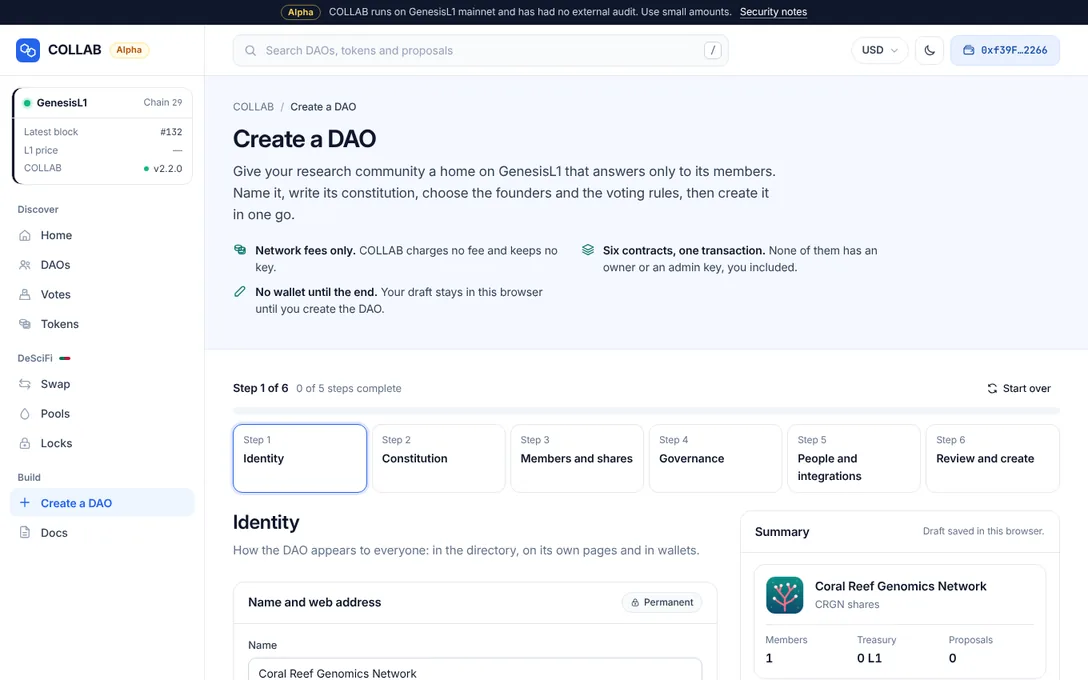
The stepper shows Identity, Constitution, Members and shares, Governance, People and integrations and Review and create, with "Step N of 6" and how many of the five steps before the review are complete. Each step has its own address, /create?step=identity and so on, and the browser's Back and Forward move between steps. You can go back to any step at any time; moving forward checks every step you pass over and stops at the first problem. The Summary beside the steps shows the directory card as it will look and the rules in short, and Continue to … under each step moves on.
Step 1: Identity
"How the DAO appears to everyone: in the directory, on its own pages and in wallets." The card Name and web address carries a Permanent badge: both are written into the DAO's contracts at creation and never change, by vote or otherwise. The description, logo and links can change later.
Name
Name takes up to 80 bytes, is shown in the directory and at the top of every page of the DAO, and is required. The contract accepts well-formed UTF-8 without control characters. Two DAOs may have the same name; the web address is what tells them apart.
Web address
Web address is the DAO's page, shown after the site's host: collab.genesisl1.com/dao/…. The wizard proposes one from the name: lowercase Latin letters and digits, accents dropped, & as "and", other characters as single hyphens, and at most 48 characters, cut at a hyphen. Type your own to keep it; spaces and underscores become hyphens, and emptying the field makes it follow the name again.
A web address takes 3 to 48 characters of a to z, 0 to 9 and hyphens, starts with a letter, has no double hyphen and does not end with a hyphen. The field says what is wrong: "Use 3 to 48 characters", "Use only lowercase letters a to z, digits and hyphens", "Start with a letter", "Use single hyphens" or "End with a letter or a digit".
As you type, the wizard asks the factory whether the address is free:
- "Checking whether it is free…";
- Available. "The DAO will live at collab.genesisl1.com/dao/…";
- "Taken by another DAO. Choose another name.", with a link to that DAO;
- "Could not check right now; it is checked again before the DAO is created."
Web addresses are first come, first served, and the factory gives each to one DAO only. Someone who sees your pending transaction can take the same address first; A web address can be taken first explains what that costs and how the wizard limits it.
Description
Description is optional: Markdown with headings, lists, links, bold and italic, shown on the DAO's overview, up to 256 KB (262,144 bytes). A counter and a bar show the size as you type. Line breaks are stored as line feeds, and other control characters, such as form feeds, are left out; the editor says how many.
Logo
Logo is optional. Choose or drop any image your browser can open (PNG, JPEG, WebP, GIF, AVIF or SVG, of any size): your browser turns it into a 128 × 128 PNG, and you choose the square to keep. Drag the image or use the arrow keys to move it; zoom with the slider, its buttons, the plus and minus keys or the mouse wheel; Whole image and Fill the square reset the framing. The result shows at its actual size and as cards and lists show it, with its size against the limit of 512 KB (524,288 bytes). A 128 × 128 image is small: the five demo DAOs' logos take 1.8 to 4.3 KB.
Without a logo, COLLAB draws a molecule from the DAO's address. Every page shows a logo only after checking it against the hash the contract reports.
Links
Links are optional: Website, X, GitHub, Forum and Email, shown as buttons under the DAO's name. An X handle such as @genesisl1 becomes an x.com link, a GitHub organisation or organisation/repository a github.com link, and https:// is added where it is missing. Together they may take 2,048 bytes.
Step 2: Constitution
"The rules your members agree to, in your own words. The chain keeps this text as version 1." A constitution is required.
Start from a template offers six starting points, all written for COLLAB and free to edit:
| Template | What it is for |
|---|---|
| Research collective | Members fund studies together and publish openly, null results included. |
| Lab consortium | Laboratories share instruments, data and inventions under agreed terms. |
| Institute or university | Research groups share a fund, facilities and data, and award internal grants by vote. |
| Company research | A company and its partners fund R&D projects and decide how results are licensed. |
| Non-profit foundation | A foundation takes donations, awards grants by vote and publishes what it funds. |
| Blank page | Write your own text or paste an existing one. |
The research collective template is chosen at first. A template fills in the DAO's name, and as long as you have not edited it, it follows the name if you change it. Switching templates after editing asks first, because your text would be replaced.
The editor shows the Markdown beside a live preview, and a counter against the limit of 1 MiB (1,048,576 bytes). The constitution is stored on-chain in TextStore before the DAO is created: a text of up to 23,991 bytes "Uploads in 1 transaction."; a longer one uploads in parts of up to 24,000 bytes, then one more transaction joins them. A text that is already stored, word for word, is reused without a transaction. The constitution and announcements explains versions and amendments.
Step 3: Members and shares
"Who starts with a vote, and how much each vote weighs."
Share token
- Share token name: what wallets and explorers show, up to 80 bytes. The wizard proposes the DAO's name followed by "Shares".
- Symbol: 1 to 11 letters or digits, shown next to every amount of shares. The wizard proposes the initials of the name, or the start of a one-word name.
Shares have 18 decimals. The contract itself would accept a name of up to 80 bytes and a symbol of up to 32 bytes of text; the wizard keeps symbols shorter.
Transfers
Can members send shares to each other?
- Only through the DAO, the default: "Members cannot send shares to each other. New shares come from votes, and a member can always return shares to the treasury. Airdrops can give every member the same amount."
- Transferable: "Holders can send shares to anyone, and whoever receives them becomes a member. Shares acquired after creation vote only after a holding period. Airdrops can only be split in proportion to shares."
With transferable shares the DAO starts with a holding period of 7,200 blocks, about 28 hours, and the wizard asks you to set a meaningful minimum deposit, because freeze votes lock a member's shares while they run. A critical Governance rules proposal can change the choice later. Members and shares explains both.
Founders
Founders receive their shares when the DAO is created, up to 200 of them. Each row takes an address and a number of shares. With a wallet connected, a list that holds only one empty row gets your address in it, and Add my address adds you with 100 shares. Add founder adds a row, and Paste a list of founders takes one founder per line, the address then the shares, separated by commas, semicolons, tabs or spaces; lines starting with # are ignored. Every row needs a valid address and a positive number of shares, an address may appear only once, and the DAO's own future address cannot be a founder.
Shares kept in the treasury is optional. Those shares never vote and never count towards quorum; members can later vote to give them to new members or burn them.
The card Distribution and voting power shows the shares at creation, the voting share of each founder and what the treasury keeps. It says when one founder holds all the votes, or a majority: that founder can then meet quorum and pass standard proposals alone.
Step 4: Governance
"How a proposal reaches a vote, what it takes to pass and when the result takes effect."
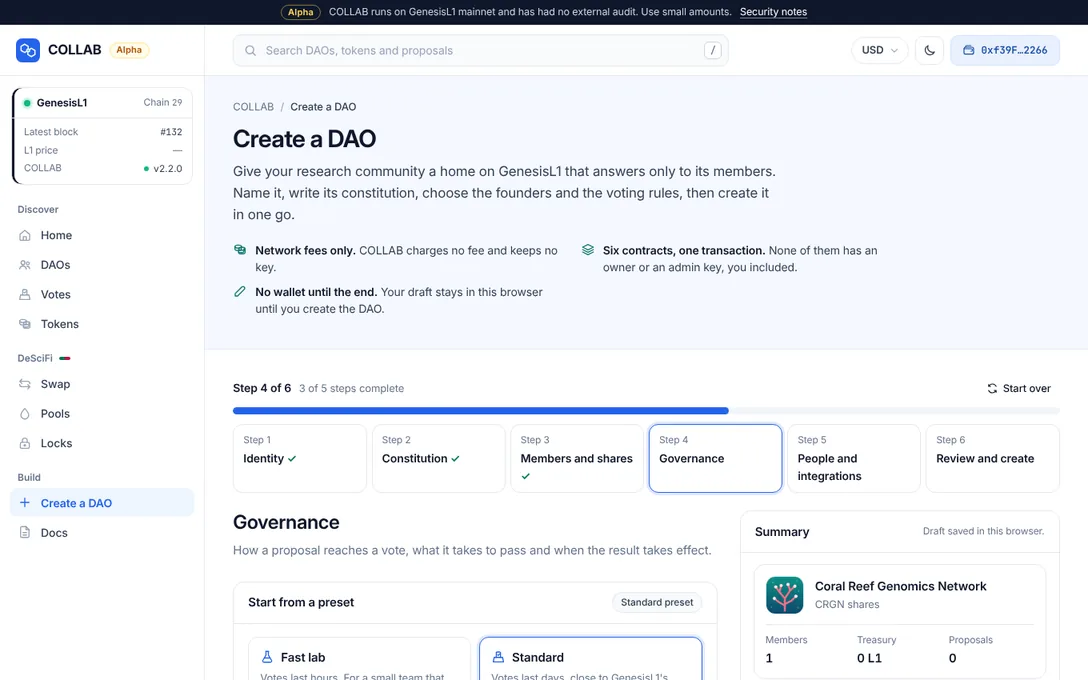
Start from a preset offers Fast lab, Standard (chosen at first) and Conservative. A preset fills every field below; change any value to make your own rules. The cards:
- Deposits and proposing: Minimum deposit, Paid when submitting, Deposit period, Execution window and Voting power needed to propose;
- Standard rules ("Most proposals") and Critical rules ("Rules, members, constitution"), each with Voting period, Timelock, Quorum, Pass threshold, Minimum Yes and Veto threshold;
- Penalties and protection: the six deposit flags;
- Which proposals use the critical rules: the five always-critical types are locked, and you can tick others;
- In plain words: the rules as sentences, updated as you edit.
Every value is checked against the range the contracts enforce, and the critical rules may not be looser than the standard ones. The proposal threshold may not exceed the founders' shares combined ("Nobody could propose."); above what any single founder holds, the wizard warns that founders would have to delegate to one another first. Governance rules and presets lists every preset value and range.
Step 5: People and integrations
"The model and sealed-data contracts the DAO works with, plus two optional roles: representatives who keep the profile current, and key stewards who hold the key to sealed data."
Representatives
Up to 21 representatives, optional. Each has a Representative address, an optional Term ends ("Leave empty to serve until replaced"; it must be at least a few minutes ahead) and Allowed to: Edit the description, Change the logo, Edit links, Post announcements and Run calls governance pre-approved. The first four are ticked for a new row. The operator power uses only calls a later Governance rules proposal grants, and none exist at creation. Beyond such calls, representatives cannot spend from the treasury or change any rule, and nobody can rename the DAO. See Representatives.
Integrations
The Integrations card lists the GL1F collections, under Models (GL1F), and CIPNFT contracts, under Sealed data (CIPNFT), that this deployment lists, all ticked and marked Listed by this deployment; on GenesisL1 they are GL1F, GL1F Crypto and CIPNFT. What its outside admins can do reads, from the chain, who holds each outside admin key and what it allows. Add your own (advanced) adds a GL1F collection by its four contracts (Registry, Model NFT, Market and Runtime, which must refer to each other) or a CIPNFT contract; each is checked on GenesisL1 before Add this collection or Add this contract unlocks. A DAO uses at most 8 of each, and members can add or remove any later by a critical vote. See Integrations.
Key stewards
Up to 9 key stewards, optional. They keep the DAO's key to sealed data, can decrypt everything the DAO holds there, and complete the purchases and sales members approve. Each steward needs an encryption key registered in the COLLAB keyring before the DAO's key can be shared with them. Without stewards, the DAO cannot hold sealed data until a vote appoints some. See Sealed data with CIPNFT.
Step 6: Review and create
"Check everything once more. Nothing reaches the chain until you create the DAO." The review shows every choice on its own card, Identity, Constitution, Members and shares, Governance, People and Integrations, each with Edit to go back to its step. Integrations that this deployment does not list are flagged Not listed.
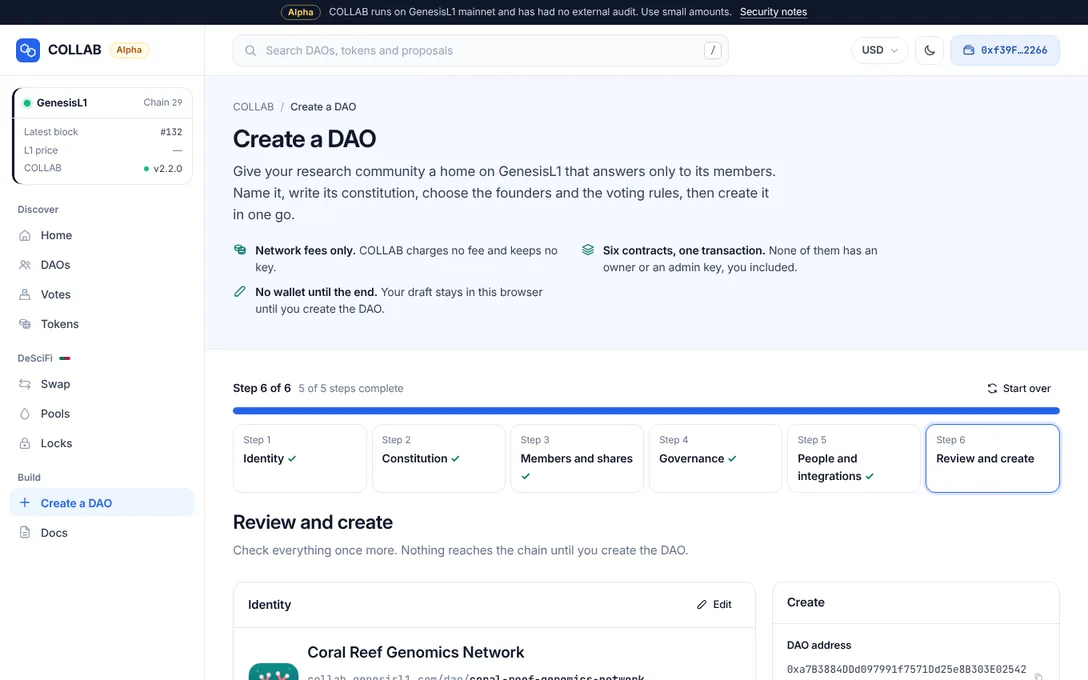
The Create panel beside the cards shows:
- DAO address: the treasury's address, known in advance once a wallet is connected, because it depends on the creating account and a random number kept in the draft. Do not send funds there before the DAO exists.
- Transactions: uploading the constitution (none when it is already on chain) and Create the DAO, "Six contracts, one transaction", with the total. You confirm each in your wallet.
- Network fee: what creating costs, described below.
- What creation sets up: the six contracts and what each does.
- Create DAO. Without a wallet, it asks you to connect one first.
The network fee
The fee panel estimates the cost at the gas price your RPC endpoint reports:
- Creating the DAO: the gas the creation is expected to use and its price, in L1 and your display currency. The node estimates the creation without the logo and the description, and COLLAB adds the measured cost of writing them into the profile.
- of which the logo and description: the part they add.
- Uploading the constitution: roughly, when it is not stored yet.
- What your wallet must hold: the gas limit times the gas price, "only the gas used is charged."
Typical gas, measured on GenesisL1's rules (at 50 gwei, one million gas costs 0.05 L1):
| Creation | Gas used | At 50 gwei |
|---|---|---|
| No logo, no description | 5,427,346 | about 0.27 L1 |
| 4 KB logo and 1 KB description | 9,164,010 | about 0.46 L1 |
| 16 KB description in plain ASCII | 17,251,108 | about 0.86 L1 |
| 64 KB logo and 16 KB description | 63,850,801 | about 3.2 L1 |
RPC nodes stop estimating at 25 million gas, which a creation passes with more than about 25 KB of logo and description (about 20 KB when the text is not plain ASCII). The panel then says "This is more gas than wallets can estimate, so COLLAB sets the gas limit itself", from a formula measured against the contracts, and your wallet shows that limit. Costs and gas has the full table.
Warning. On GenesisL1 a transaction that fails still pays at least half its gas limit. The panel states it before you sign: "If it fails, for example because someone takes the web address first, GenesisL1 still charges at least half its gas limit: about … L1." For a 64 KB logo and a 16 KB description that is about 1.8 L1 at 50 gwei. See Costs and gas.
Creating
When you press Create DAO, the wizard:
- checks every step again, and asks you to connect a wallet if none is connected;
- checks that the web address is still free, and stops before anything is sent if it is not: "The web address “…” was just taken by another DAO." "Nothing was sent. Choose another one in the first step.";
- uploads the constitution, one transaction per part, or reuses it when it is already stored;
- checks the creation with the factory, without the logo and the description; a problem stops it here ("The factory would reject this DAO: …");
- checks the web address once more, right before your wallet opens;
- sends the creation for you to confirm in your wallet.
If you reject the transaction or it fails, the page says "The DAO was not created." Uploads already made are reused when you try again.
After creation
When the transaction confirms, the wizard says "… exists. Opening its page…" and takes you to the DAO's overview at /dao/<web address>. The draft is removed from your browser.
From then on, as the review says, "nobody owns the DAO, you included. Every change needs a proposal and a vote under the rules above." Useful first steps:
- share the web address with your members: it is the DAO's identity, unlike its name;
- members who will be away can Delegate their voting power (Members and shares);
- representatives can add or refine the description, the logo and the links (Representatives);
- key stewards register their encryption keys and propose the DAO's first key (Sealed data with CIPNFT);
- fund the treasury with Fund the treasury and submit the first proposal with New proposal (Proposals and voting).
Drafts
The wizard keeps your entries in this browser's local storage as you type, under the key collab-create-draft, and says "Draft saved in this browser." Nothing secret is stored. When storage is full or blocked, it says the draft is not saved, and you finish in one visit.
When you come back, it asks "Continue your draft?", with the name, when you last edited it and at which step: Continue draft or Start over. Start over at the top of the wizard discards the draft after asking ("Discard the draft"); nothing on the chain changes. A draft saved by an earlier version of COLLAB starts over. The draft also holds the random number that fixes the DAO's future address with your account, so the address shown on the review stays the same across visits. The privacy page lists every key COLLAB keeps.
Related
- Name, web address, logo and description: the rules for each, and editing them later.
- Governance rules and presets: every preset value and range.
- Members and shares: shares, transfers, the holding period and freezes.
- Proposals and voting: what members do once the DAO exists.
- Costs and gas: fees, and what a failed transaction costs.